Career exploration
— we start by deciding what to prepare
JPP is a service that helps students from middle-school year 2 to high-school year 2 decide for themselves which major to aim for, what to prepare and when. It does not end with a single test result. We narrow candidates using the Career.net career-aptitude test and 557 major profiles, look at the level of preparation the current data shows, then build a semester-by-semester growth path and check whether it was actually done. When university admission becomes necessary, we organize your preparation and pass it on to JAIS admissions consultation.
Login is required. When you press Start, the login screen appears, and when you finish you return straight to this service.
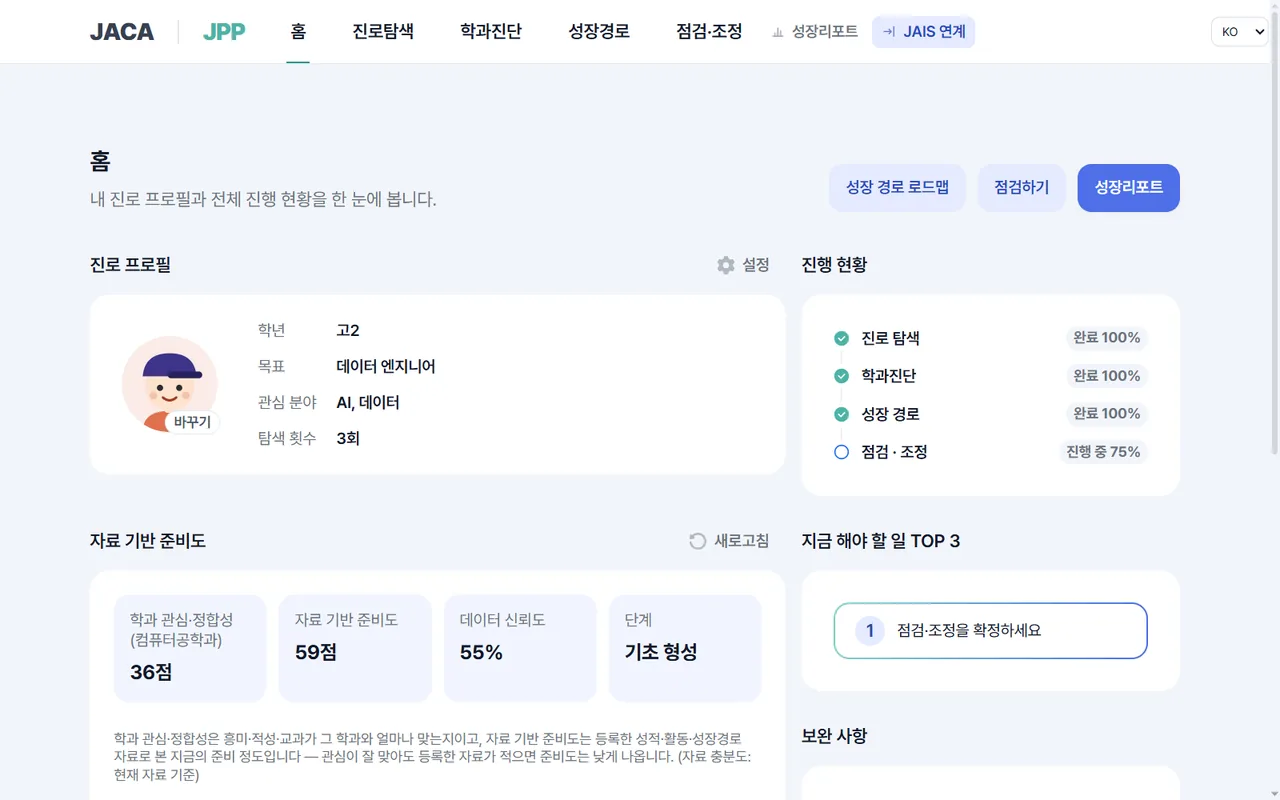
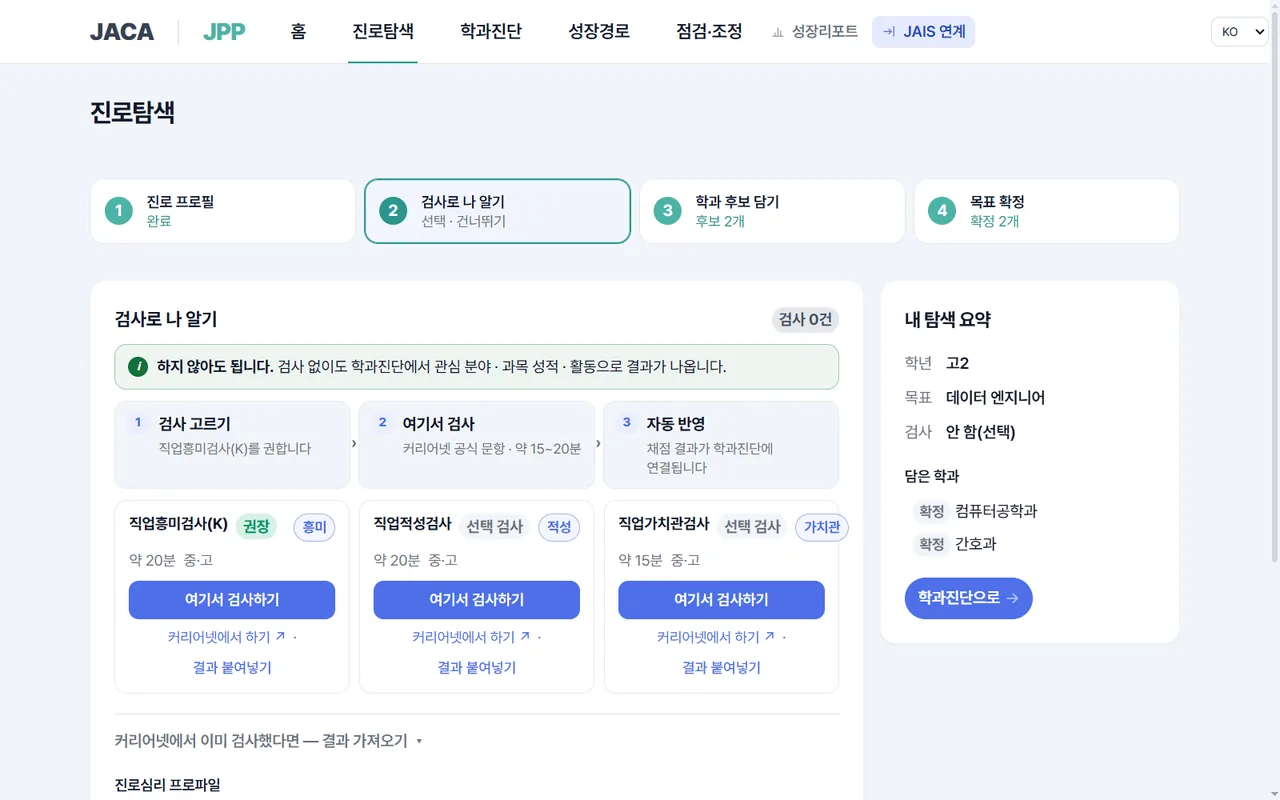
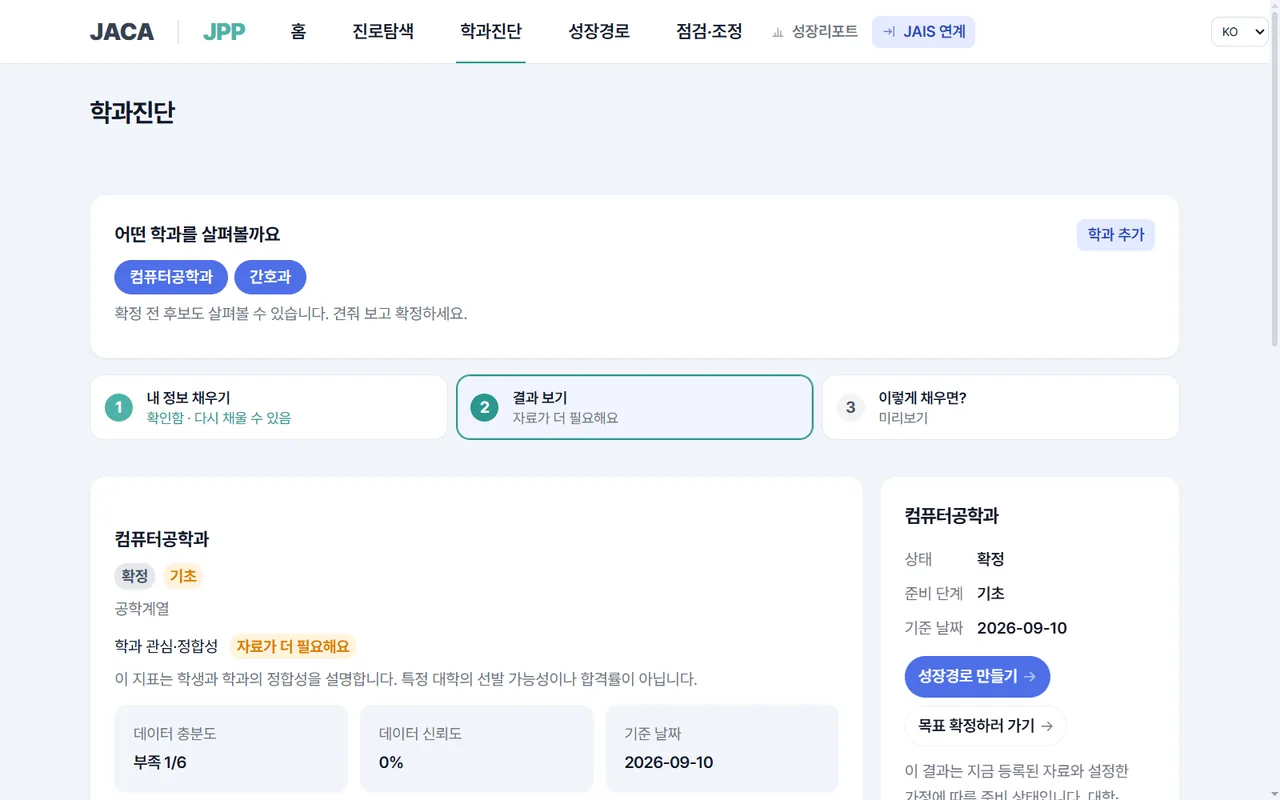
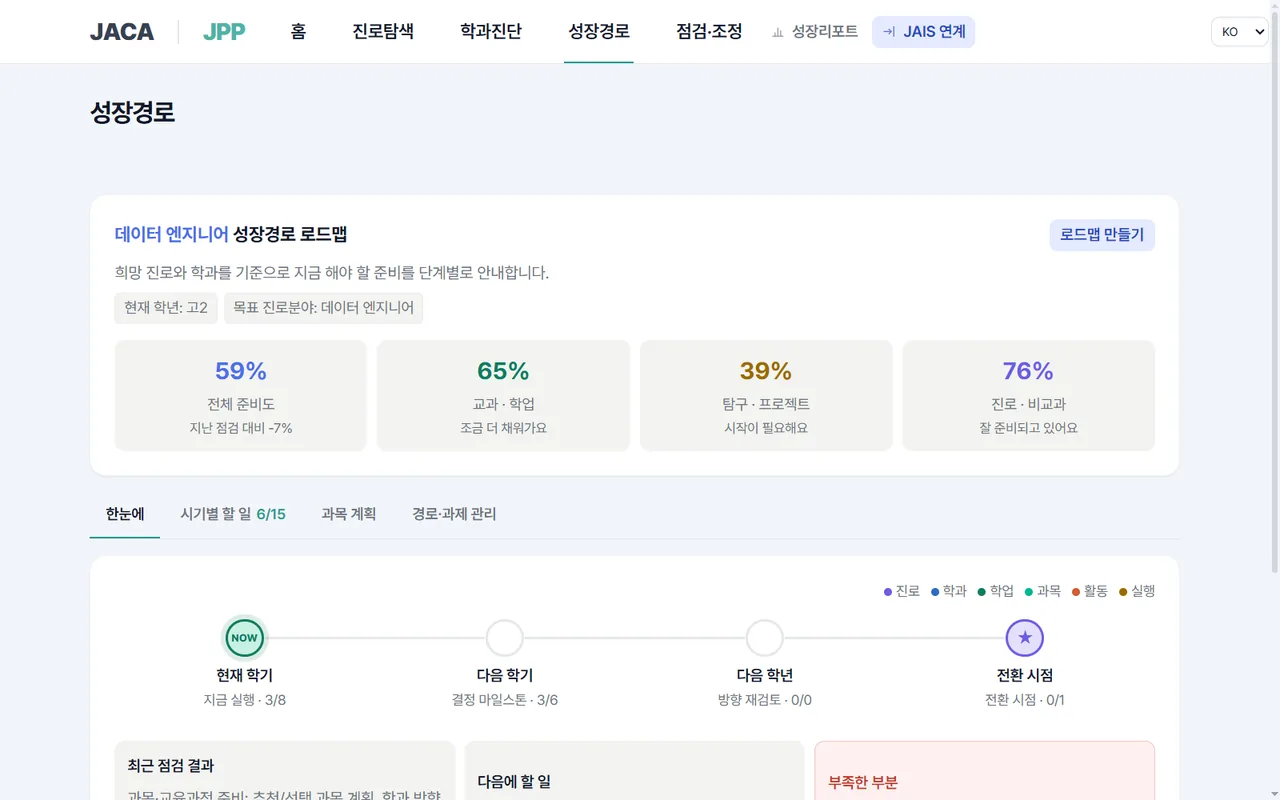
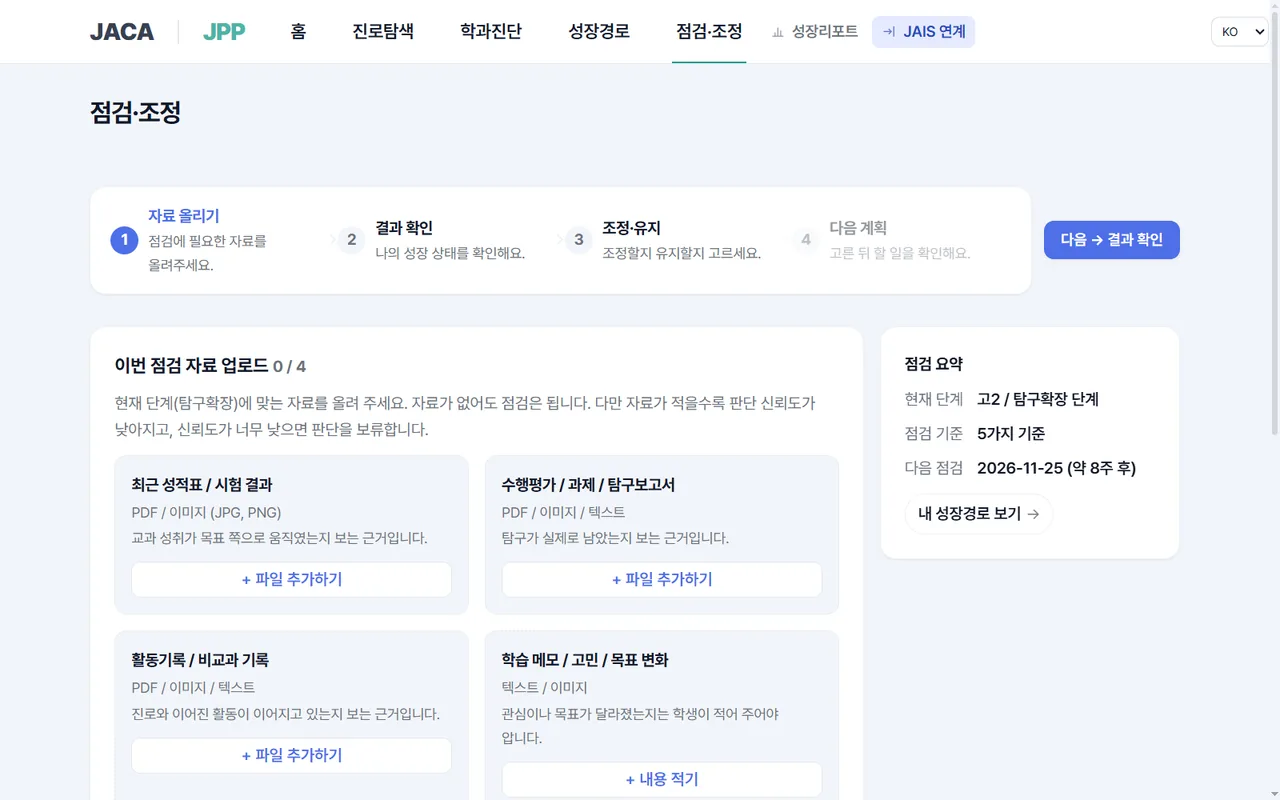
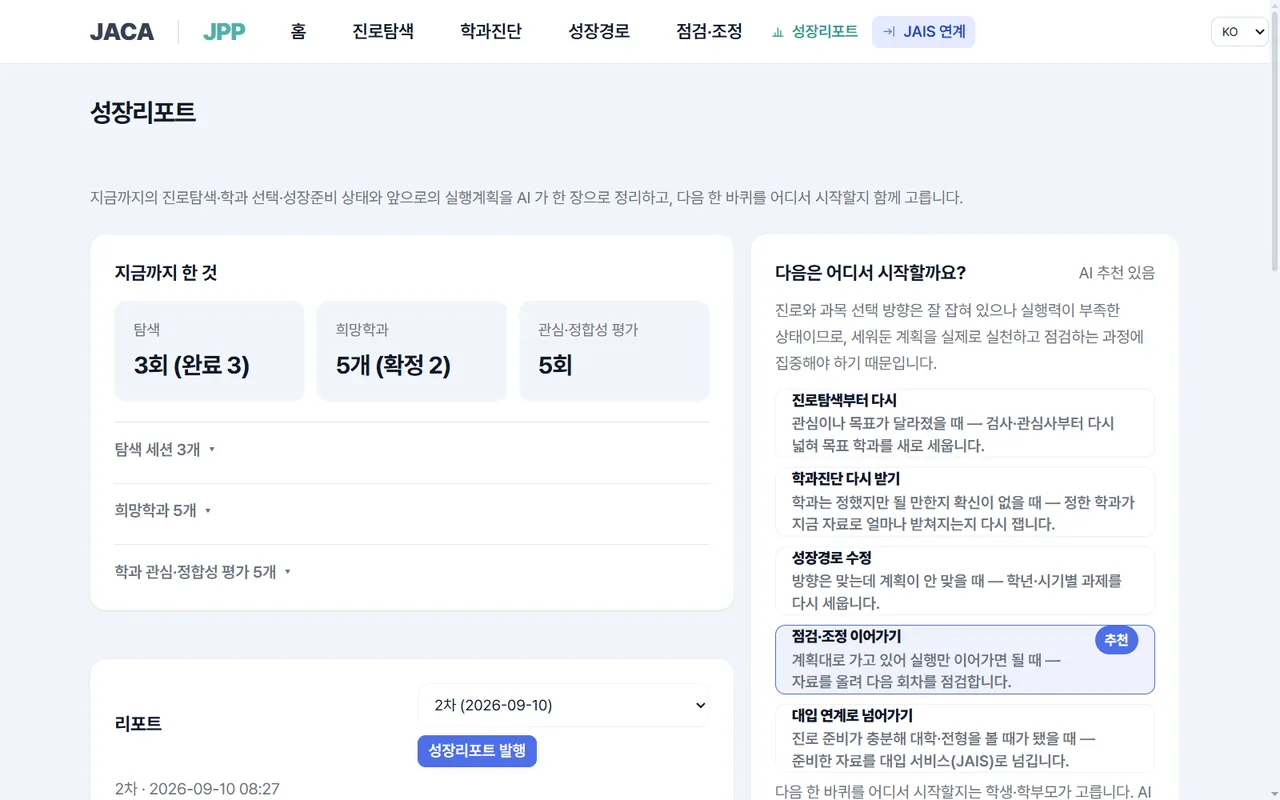
We don't stop at exploring, we build your path
“My child still doesn't know what they want to do.” For students whose career has not been decided, we built a separate career exploration system. It analyzes disposition and interests, academic ability and experience to explore promising careers and majors, and keeps managing so that the explored path develops into the student's actual direction. We do not decide a career for a student once — we stay with the whole process of the student finding and refining their own career.
Use them in this order
There are only five menus. You may skip steps, but without data from an earlier step the later step shows "judgment on hold" — we don't fill blanks with plausible-looking numbers.
- 01
Home
Your current stage and next action. See grade, goal and progress in one line.
Free - 02
Career Exploration
Link your Career.net test results and gather your interests, strengths and target-major candidates.
Free - 03
Majors · Feasibility
See preparation level, data sufficiency, grounds and missing data as cards.
Free - 04
Growth Path
Tasks by semester and year (goal · grounds · action · evidence · deadline).
Paid - 05
Review · Adjust
Check changes against the plan and adjust. The student confirms.
Paid
Inside the service you'll find these menus — Home · Career Exploration · Majors · Feasibility · Growth Path · Review · Adjust. When you start, we first show you the results so far.
What it does
- Brings in your Career.net career-aptitude test results as they are and interprets them
- Search and compare 557 majors (501 university · 56 high-school fields)
- The level of preparation from comparing your target major with your data, and the grounds in sentences
- 5 scenarios showing what changes when conditions change
- Semester-by-semester tasks, evidence records, and adjustment after review
What it does not do
- It does not produce admission probabilities or prediction numbers
- When grounds are insufficient, it does not use a score as a conclusion and puts it on judgment on hold
- The system does not change your goal or path on its own — the parent or student confirms
- The originals of transcripts and activity materials never leave this service
Connect to the JAIS admissions app — simulate your future university admission
Once you explore careers in JPP and confirm your target major, you can pass the result to the JAIS admissions app and simulate your university admission. It analyzes which admission tracks you could aim for with your current preparation and what is lacking. The result comes back to JPP and tells you how to adjust your career path or what to supplement — a cycle of explore → manage → simulate → feedback.
You can also first see where you stand with a 3-minute diagnosis
The eligibility diagnosis provisionally sorts the admission groups you can apply to.